I Built a Session Manager for Kitty and Claude Code
I’ve never liked tmux. The keybindings feel foreign, the copy-paste story on macOS is rough, and bolting a terminal multiplexer on top of an already capable terminal always felt backwards. Kitty handles splits, tabs, and OS windows natively. Why fight it?
But once Claude Code became part of my daily workflow I hit a real problem. I’d have four or five repos open, each needing a Claude pane and a shell pane, and I had no good way to track what was running where. Closing a tab meant losing the context. Reopening meant rebuilding the layout by hand.
So I built ks – a small Go TUI that manages named sessions inside kitty. Each session is a kitty tab split in two: Claude Code on top, shell on bottom. That’s it. No multiplexer layer, no config DSL, no abstraction over kitty’s own window model.
What it looks like
The main screen shows your sessions, their status, and the working directory. If you’ve used Claude Code in a session it also pulls in the latest prompt so you can remember what you were working on.
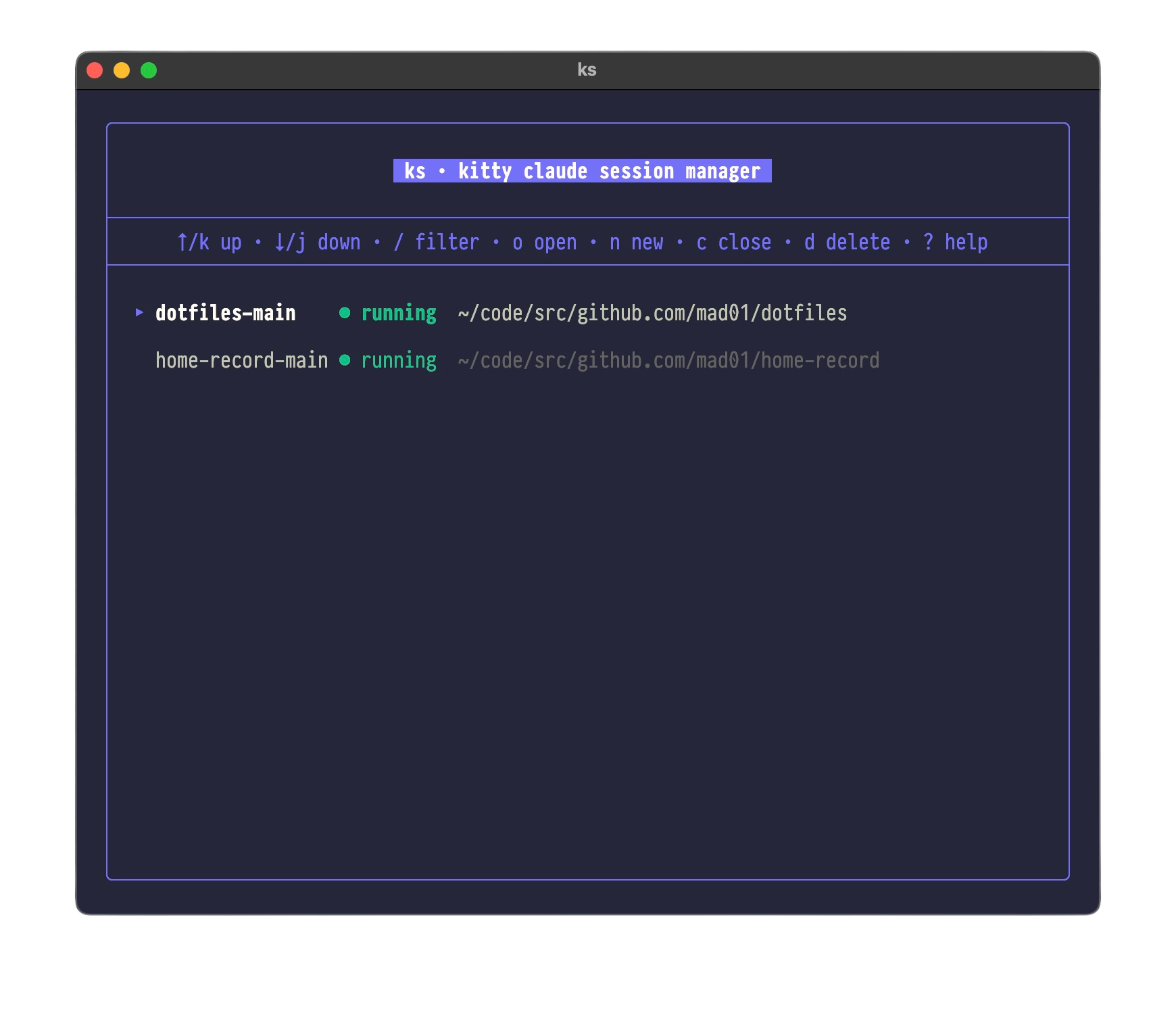
Session list showing status badges, directories, and Claude context
Press n and you get a repo picker. It scans your configured directories for git repos and lets you fuzzy-filter down to the one you want.
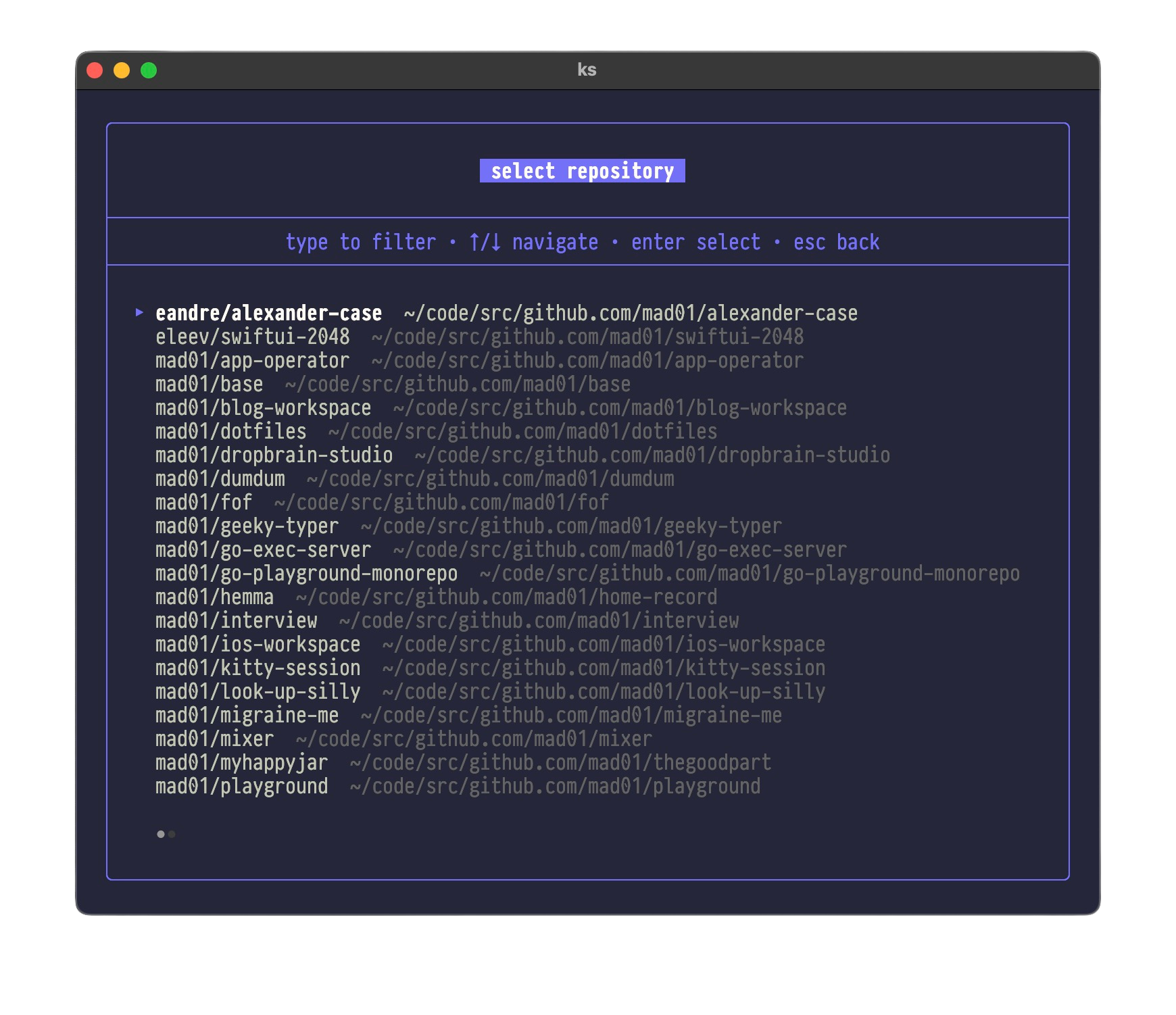
Repository picker with fuzzy search
Select a session and press o to open it. Kitty creates a new tab, launches Claude Code in the top pane, and drops you into a shell in the bottom pane. The working directory carries over to both.
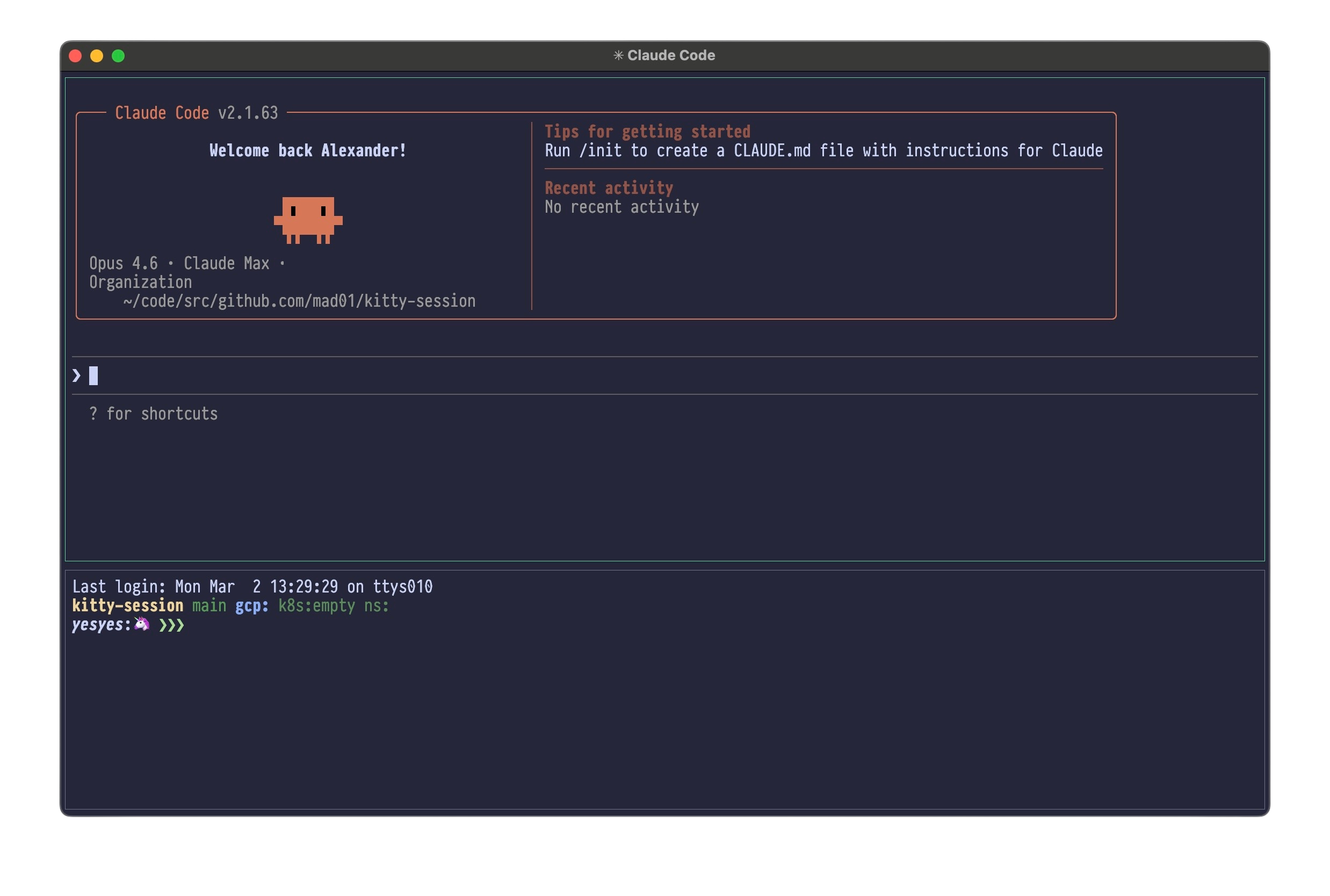
Running session with Claude Code on top and shell on bottom
How it works under the hood
ks talks to kitty through kitty @, the built-in remote control protocol. When you create a session, it calls kitty @ launch to open a tab, then kitty @ launch again with a horizontal split for the shell pane. Tab titles, focus, and close operations all go through the same protocol.
Sessions are persisted as JSON files in ~/.config/ks/sessions/. Each file stores the session name, working directory, creation timestamp, and kitty tab ID. When you reopen a session after closing the tab, ks recreates the layout from that stored metadata.
The repo scanner runs a concurrent BFS across your configured directories with 32 worker goroutines. It finds .git folders, parses the remote URL to get an org/repo display name, and feeds everything into a fuzzy finder.
The TUI itself is built with Bubble Tea and Lipgloss. Standard stuff for Go terminal UIs.
Why not tmux?
Kitty already does everything tmux does for window management. Splits, tabs, scrollback, OS-native rendering, GPU acceleration, ligatures – it’s all there out of the box. Adding tmux on top means losing kitty’s image protocol, dealing with terminfo mismatches, and adding a layer of key remapping that gets in the way.
What kitty doesn’t have is a session concept. You can’t name a group of panes, close it, and bring it back later. That’s the gap ks fills. It adds just enough structure – a name, a directory, a layout – without replacing kitty’s own window management.
Setup
ks uses kitty @ remote control under the hood, so you need that enabled. Add this to your ~/.config/kitty/kitty.conf if you haven’t already:
allow_remote_control yes
Then install:
git clone https://github.com/mad01/kitty-session
cd kitty-session
make install
Configure your repo directories in ~/.config/ks/config.yaml:
dirs:
  - ~/code/src/github.com/mad01
  - ~/workspace
Run ks and you’re in the TUI. Press ? for keybindings.
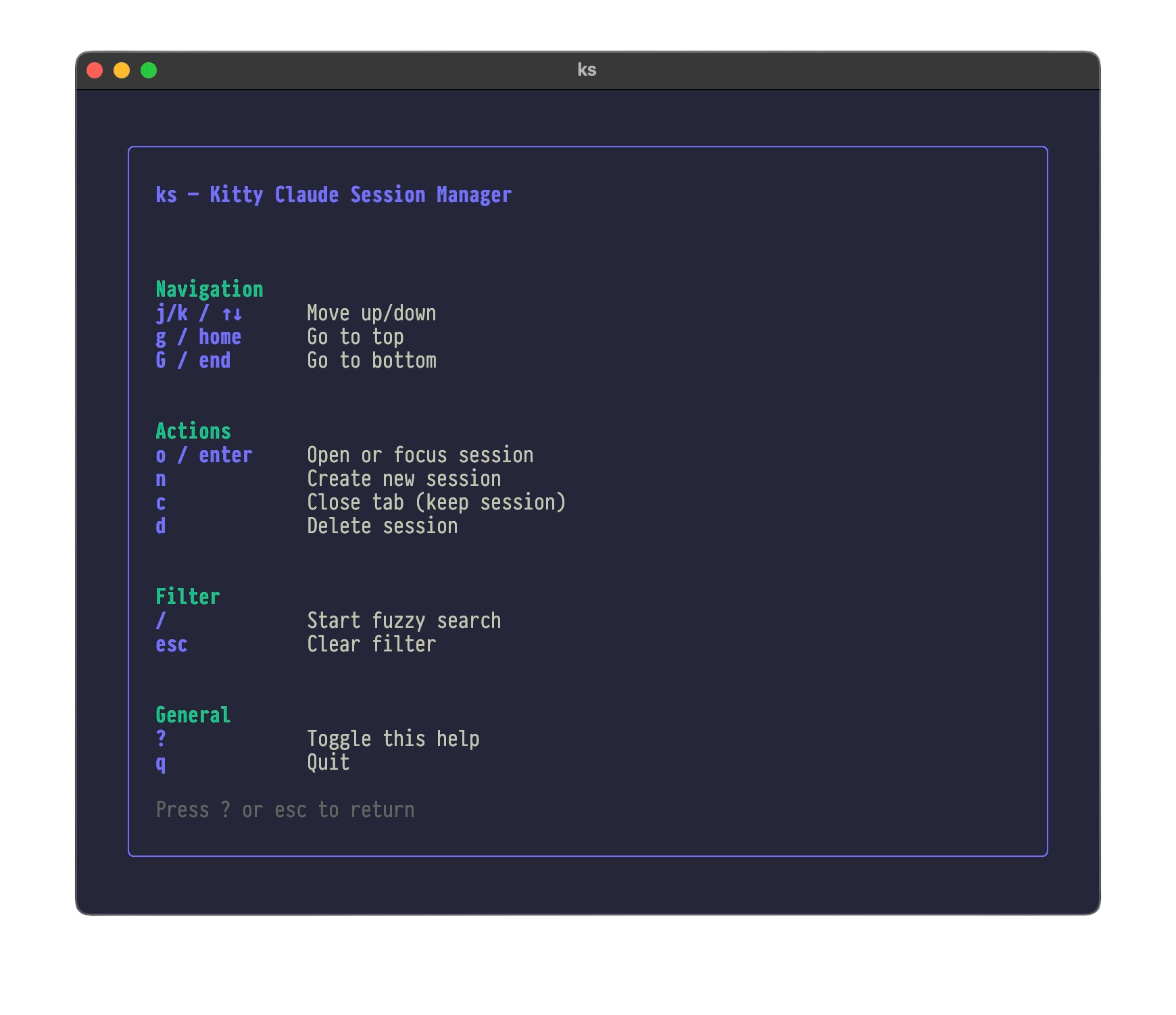
Help overlay showing all keybindings
You can also use it from the command line if you prefer:
ks new -n my-project -d ~/code/my-project
ks open my-project
ks list
ks close my-project
That’s about it. ks does what I need – named sessions, Claude on top, shell on bottom, no tmux. The source is on GitHub.